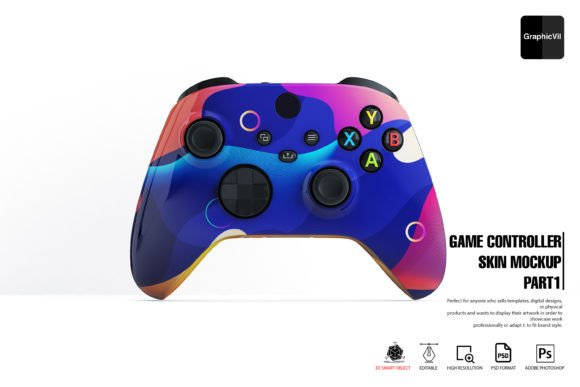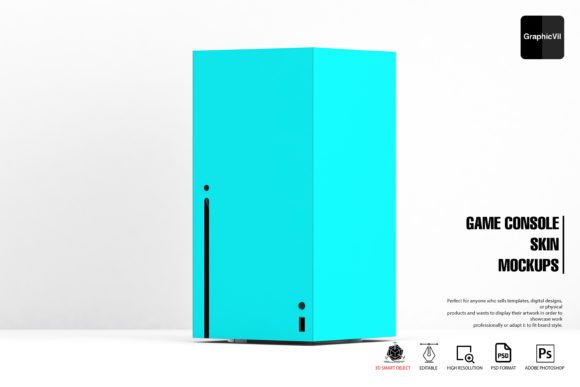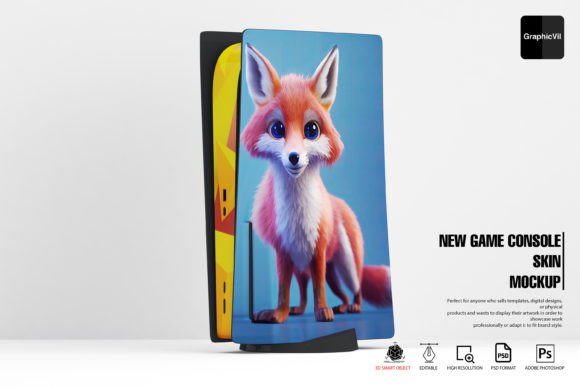
Game Console Skin Mockup Design Tool
Professional-Quality Mockups for Every Creative Need
Designers and developers need reliable tools to showcase their work effectively. The New Game Console Skin Mockup provides a powerful solution for visualizing custom console skins in realistic, high-resolution environments. Whether you're presenting to clients, building a portfolio, or preparing marketing assets, this mockup kit streamlines the process while maintaining professional quality.
What sets this mockup apart is its combination of flexibility and ease of use. Built with layered PSD files, it allows for seamless customization through smart objects and adjustable lighting effects. Users can modify reflections, specular highlights, and main light angles to match specific design goals. The package includes over 100 high-resolution angles, giving creators multiple presentation options without needing 3D modeling expertise.
Key Features That Enhance Workflow Efficiency
- Customizable Smart Objects – Replace textures and graphics instantly without altering base structures
- Multiple Reflection Options – Choose from up to three reflection types for realistic surface effects
- Adjustable Lighting Controls – Fine-tune specular highlights and main light sources for dramatic impact
- Comprehensive Angle Selection – Access 100+ high-resolution views including side profiles, top-down shots, and angled perspectives
- 3D-Ready Environment – Works with Photoshop's 3D features for authentic depth and realism
Real-World Applications Across Industries
This mockup system proves valuable in multiple professional contexts. UI/UX designers use it to demonstrate interface placements on actual hardware. Marketing teams leverage it for product mockups before physical production. Educators teaching digital design can show students how their work translates to real-world applications.
Freelance artists and console skin creators benefit from the ability to present their concepts without investing in photography equipment or 3D rendering software. The included help folder and 24/7 support ensure users can resolve technical challenges quickly, maintaining project momentum.
Technical Considerations for Optimal Performance
Adobe Photoshop users should verify compatibility before working with this mockup. While compatible with CC2015 and newer versions, Adobe recommends using Photoshop version 22.2 from February 2021 for the most stable 3D feature performance. Check for the presence of a "3D" menu in your Photoshop interface to confirm compatibility.
Mac and Windows users experiencing display issues should adjust their settings through Preferences > Technology Previews by enabling "Deactivate Native Canvas". Restarting Photoshop after this change resolves common problems like missing layers or inability to edit 3D objects.
Enhancing Communication Through Visual Clarity
Clear visual communication remains crucial in client presentations and design reviews. The New Game Console Skin Mockup enables designers to present their work in context, helping stakeholders visualize final products more accurately. This reduces misinterpretations and streamlines approval processes.
For portfolio builders, the variety of angles and customizable elements help demonstrate technical proficiency and attention to detail. Each rendered image maintains high resolution suitable for both digital and print presentations, ensuring professional results regardless of delivery format.
Practical Implementation Tips
- Start with Clear Design Files – Prepare your artwork at appropriate resolutions before importing into smart objects
- Test Multiple Angles – Use different perspectives to highlight unique design elements
- Adjust Lighting to Match Branding – Align specular highlights with brand color schemes for cohesive visuals
- Use Reflection Options Strategically – Select reflection types that enhance rather than distract from key design features
- Document Customization Steps – Keep notes on layer adjustments for future reference or client explanations
Supporting Creative and Commercial Success
Business owners and entrepreneurs find this mockup particularly useful during product development phases. It allows them to showcase potential merchandise designs to investors or pre-order customers without manufacturing physical samples. This reduces risk while gathering valuable market feedback.
Educators teaching digital design principles use the mockup system to demonstrate how 2D graphics translate onto 3D surfaces. Students gain practical experience working with industry-standard tools while understanding the importance of environmental factors like lighting and reflections in final presentations.
Maximizing Value Through Versatility
The mockup's adaptability makes it suitable for various creative scenarios. Digital artists can showcase character-themed skins, while branding professionals demonstrate corporate-sponsored console designs. Even educators teaching digital literacy use the system to demonstrate photo editing fundamentals in engaging ways.
When evaluating mockup solutions, consider how well they integrate with existing workflows. The New Game Console Skin Mockup stands out through its balance of advanced features and user-friendly design. Its layered PSD structure ensures compatibility with standard design practices while offering room for technical exploration.