Game Controller Skin Mockup Part: A Customizable Solution for Design Presentations
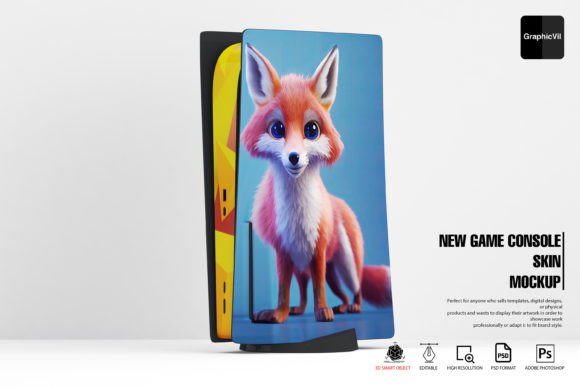
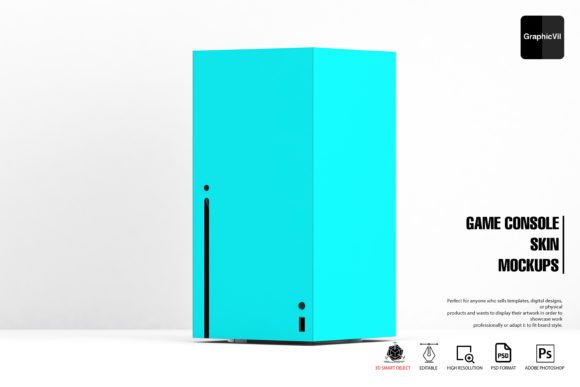
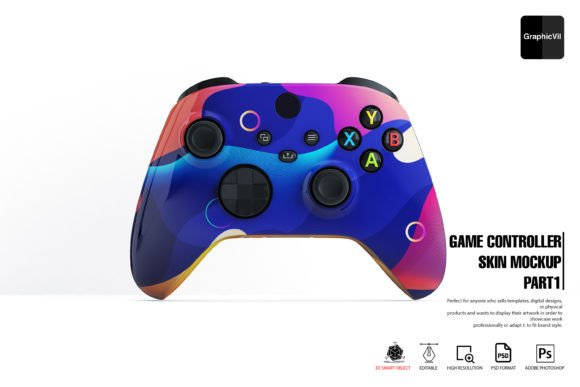
The Game Controller Skin Mockup Part is a versatile digital tool designed for creatives who need to present controller skin designs in a professional and visually engaging way. It provides a realistic 3D representation of game controller skins, allowing designers to showcase their artwork without the need for physical prototypes. This mockup set stands out due to its layered PSD format, customizable smart objects, and support for multiple lighting and reflection effects.
Key Features That Set It Apart
Unlike basic 2D mockups, the Game Controller Skin Mockup Part uses 3D smart objects to create lifelike visuals. This means users can adjust textures, lighting, and reflections to simulate how a design would appear on an actual controller. The package includes 100 high-resolution Photoshop files, each capturing a different angle of the controller. These layered PSD files are easy to edit, making it simple to swap out designs and see immediate results.
Additional features include:
- Up to three different reflection options
- Adjustable specular and main light effects
- Reflection intensity control
- Help folder and 24/7 support for troubleshooting
How It Compares to Other Mockup Tools
When compared to other digital mockup tools, the Game Controller Skin Mockup Part offers a balance between realism and ease of use. Some alternatives rely on external rendering software or complex 3D modeling knowledge, which can be a barrier for designers who primarily use Photoshop. This mockup set integrates directly into Photoshop’s 3D environment, making it accessible for those already familiar with Adobe’s interface.
However, it’s important to note that not all Photoshop versions handle 3D features equally. Users are advised to use version 22.2 from February 2021 for optimal performance. Newer versions may experience issues like missing layers or inability to edit 3D objects unless specific settings are adjusted—such as disabling the Native Canvas under Technology Previews.
Strengths and Limitations
One of the strongest aspects of the Game Controller Skin Mockup Part is its adaptability. Designers can use it for client presentations, portfolio displays, UI/UX case studies, and more. The ability to adjust lighting and reflections helps tailor visuals to specific branding or environmental contexts. Additionally, the inclusion of 100 different angles ensures a variety of presentation options without the need for additional assets.
Still, there are limitations. Because it relies on Photoshop’s 3D engine, users may run into compatibility issues, especially with newer software versions. Those unfamiliar with 3D layers or smart objects may face a learning curve, though the included help folder and support system can mitigate this. For designers who need ultra-realistic renders or animations, this mockup may not be sufficient, and a dedicated 3D modeling tool might be a better fit.
Best Use Cases
The Game Controller Skin Mockup Part is ideal for:
- Graphic designers creating controller skins for clients or personal portfolios
- UI/UX professionals showcasing interface elements on gaming hardware
- Freelancers needing quick, high-quality visuals for proposals
- Marketing teams preparing promotional material for gaming products
In each of these cases, the mockup allows for a polished presentation without the need for physical samples or complex 3D rendering skills. It’s particularly useful for those who already use Photoshop as part of their workflow and want a streamlined way to visualize designs on a game controller surface.
When to Consider Alternatives
While the Game Controller Skin Mockup Part is powerful, it may not be the best option for every situation. If you require full 3D animation, need to export to other formats beyond Photoshop, or prefer working in non-Adobe environments, alternative tools might offer better flexibility. Additionally, if you're not comfortable adjusting software settings or troubleshooting 3D-related issues within Photoshop, simpler 2D mockups or browser-based tools could be more user-friendly.
For example, a designer creating a mobile app that interacts with a game controller might benefit more from a dynamic 3D viewer or interactive prototype tool than a static Photoshop mockup. Similarly, those working in cross-platform environments might prefer mockup tools that don’t depend on specific Photoshop versions or settings.
Practical Tips for Using the Mockup
To get the most out of the Game Controller Skin Mockup Part, users should:
- Ensure they are using a compatible Photoshop version (22.2 recommended)
- Adjust the Deactivate Native Canvas setting under Technology Previews
- Familiarize themselves with smart object editing for seamless design swaps
- Experiment with different reflection and lighting settings to match the intended use case
- Use the help folder and support team for any technical issues
By following these steps, designers can streamline their workflow and avoid common compatibility pitfalls. Taking the time to understand the mockup’s features can significantly reduce production time and improve the overall quality of visual presentations.
Conclusion
The Game Controller Skin Mockup Part offers a practical, high-quality solution for designers looking to showcase game controller skins in a professional context. Its combination of customizable 3D elements, layered PSD files, and integration with Photoshop makes it a strong contender for those already using Adobe products. While it has some technical requirements and limitations, it remains a flexible and effective tool when used in the right scenarios. Whether you're presenting to clients, building a portfolio, or preparing marketing materials, this mockup set can help bring your designs to life with minimal effort and maximum impact.